
What do you want your diss track generator to make?
Your friend has taken over the playlist again. Every song gets ten seconds before the next skip. That is enough material for a funny diss track: a habit everyone recognizes, with room for your friend to answer back. An AI diss track generator can help turn that little argument into lyrics, a song, or a video, depending on the tool.
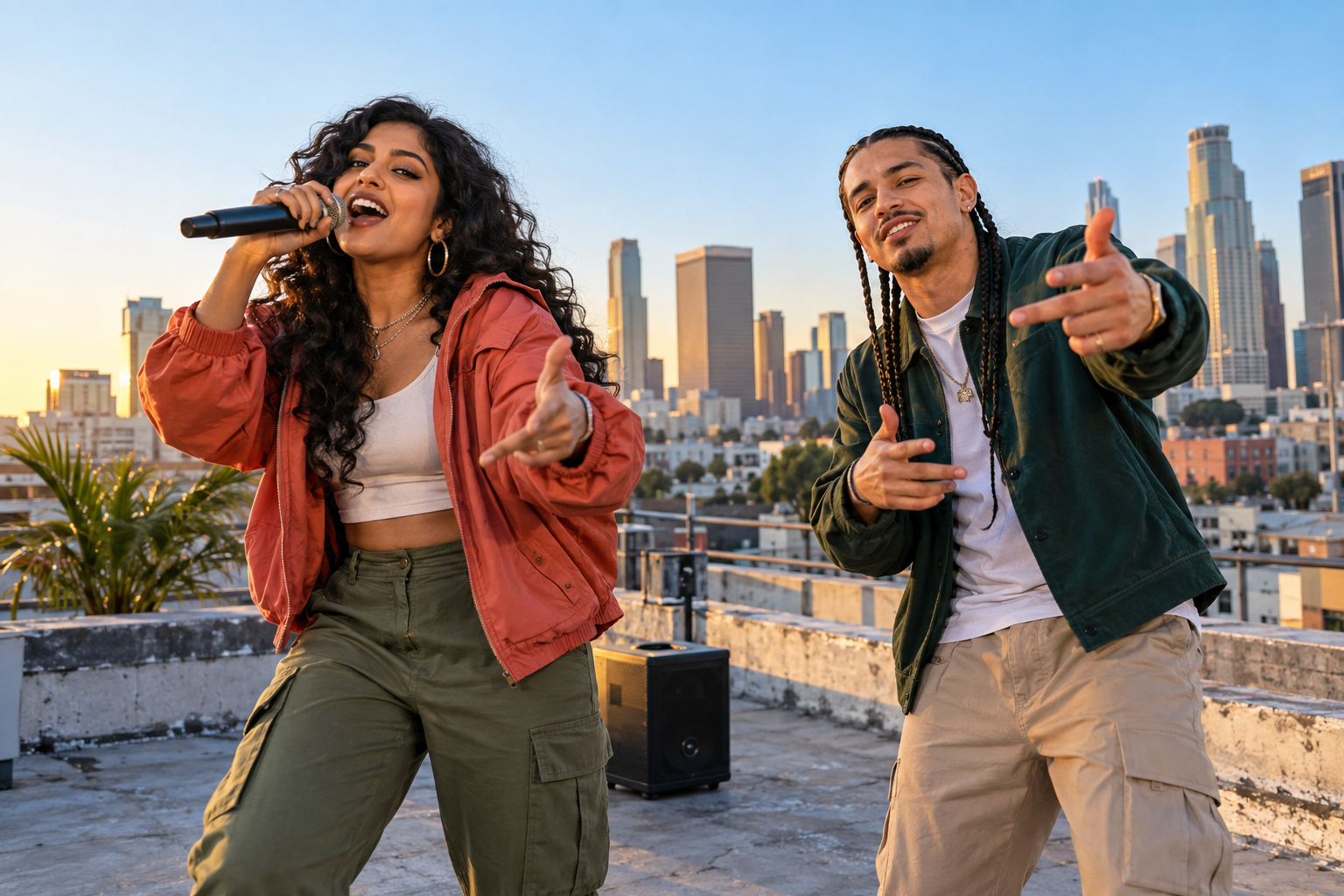
AI Rap Video Creator starts with the people in the joke. Add two portraits, or one photo showing both people, and describe the rivalry. The studio requests a new short rap performance with generated vocals and a beat. You get a video to watch and download, with both performers in the scene. The rap topic gives the model direction; it does not lock every word of the result.
Lyrics, a voiced song, or a video?
Check the output before choosing a tool. A lyrics generator gives you written bars to revise or perform yourself. A song generator adds a vocal and backing track. A video generator also creates the performers, setting and movement. The same search phrase can lead to all three, and a page promising a diss track may still require a separate step to produce audio.
Neural Frames describes a lyrics draft that you can send to its song tool. BasedLabs focuses on rap lyrics, bar structure and the tone of the roast. Lacuna describes generated rap vocals and a beat with an MP3 download. Their official pages are linked in the sources below. Those are different workflows from the photo-to-video studio here.
If you are looking for a diss track generator with voice, this site requests vocals inside the video generation. It has no voice-cloning control or audio-only MP3 export. Choose it when seeing your pair trade a joke is part of the idea. If you need a full song or a written verse to edit line by line, choose a workflow built for that output.
Give the roast something specific to work with
Start with one small dispute: who controls the aux cable, who always arrives late, or who claims to be the better cook. Write what each person does. A friend who calls instant noodles fine dining gives the model a scene and a possible punchline. Asking for someone to be roasted tells it much less.
Give both performers a part. One can make the boast, while the other questions it. Mention the tone you want, such as playful or affectionate, and suggest an ending if it matters. A rematch invitation works for gaming friends; a birthday shout-out works for a party. These are directions the model can follow, although it may change the exchange.
The Rap topic field allows 250 characters. Spend that space on the detail people will recognize. Leave out a long backstory or several unrelated jokes. Keep private information out too, and pick a subject both people are happy to hear in the group chat. A friend should know they are appearing in the clip before you upload their photo.
Six prompts for a friendly diss track
Each example opens the studio with the Rap topic filled in. Change the detail to fit your pair before generating. Opening a prompt does not upload photos, tick the permission box or spend credits. You still choose the people and decide when to make the video.
The playlist prompt suits a pair with opposite music habits. The late-arrival prompt gives the punctual friend a complaint and the other person a reply. Gaming and cooking examples turn an ordinary contest into a boast. For birthdays and siblings, keep the ending warm enough that the recipient will want to replay it.
The playlist takeover
Two friends trade playful bars over the aux cable. One skips every song after ten seconds; the other keeps replaying the same chorus. Give both a comeback and end with them sharing the playlist.
Use this topic: The playlist takeoverThe friend who is always late
A friendly rap battle between the planner and the friend who texts "five minutes" while still choosing shoes. Roast the endless arrival estimates, let the late friend answer back, and keep it warm.
Use this topic: The friend who is always lateThe gaming rival
Two gaming friends trade funny boasts. One blames every loss on lag; the other celebrates a lucky win like a world championship. Give each a playful rebuttal and finish with a rematch invitation.
Use this topic: The gaming rivalThe kitchen showdown
Two roommates battle over who makes better late-night noodles. One calls instant noodles fine dining; the other uses every pan in the kitchen. Keep the roast about cooking habits and give both a punchline.
Use this topic: The kitchen showdownThe birthday roast
A birthday duo rap for a friend who treats cutting the cake like an awards ceremony. Let the birthday friend brag, let the other tease the long speech, and finish with a cheerful birthday shout-out.
Use this topic: The birthday roastThe sibling rivalry
Two adult siblings trade playful bars about who really won family board-game night. One keeps the score; the other keeps changing the rules. Give both a comeback and end with a friendly truce.
Use this topic: The sibling rivalryMake the two-person rap video
Ask both people for permission, then choose clear photos with their faces uncovered. Two separate portraits are enough; they do not need to have been taken in the same place. If you use a photo of both people, select the shared-photo option in the studio. JPG, PNG and WebP files are accepted, each under 30 MiB.
Open a prompt above, or write your own topic in the Diss Track Generator. Rooftop Session is the default stage on this page. It places the friendly contest against a city skyline. You can select another stage if it fits the occasion better. Confirm that you have permission to use the photos, check the credit quote, and click Create my video when the settings are ready.
When the result finishes, play it with the sound on. Check both faces, the wording and the delivery before downloading the MP4. The model can miss a detail, produce an unclear vocal or take a joke in an unexpected direction. Show it to your co-star before sharing publicly. A new generation is another paid take, so revise the topic or photos first if you want to try again.
Choose the length, frame and credit budget
The studio offers 5, 8, 12 and 15 seconds. The default here is a 12-second video at 720P in a vertical 9:16 frame. That gives a short exchange room to happen without asking the model to fit an entire song into the clip. Square 1:1 and wide 16:9 frames are also available. Choose the frame for where you plan to share it.
Video generation uses paid site credits. A 12-second clip costs 10 credits; duration determines the quote, and 480P and 720P use the same number of credits. New accounts start with zero credits. You can prepare a topic before buying a pack or plan, then check the studio quote before submitting. If the provider reports a terminal failure, the reserved site credits are returned.
Questions before you generate
Can I supply exact lyrics? The topic can suggest words or a punchline, but the studio does not guarantee a word-for-word performance. There is no separate lyric editor. Use a short concept if you want the model to build the exchange around your idea.
Will the voices sound exactly like us? The request includes original generated vocals. Uploading a photo supplies a visual reference; it does not clone that person’s speaking or singing voice. Vocal quality and lip movement vary between results.
Can I make it a solo track or download an MP3? Rap mode here is designed for two people, and its download is an MP4 video. For an audio-only song, use a tool with that export. For this studio, choose a second consenting performer and a joke they can answer.
Sources
Official tool pages consulted for this guide: